A Web Viewer for Microscopy Slides and CT/MRI Volumes
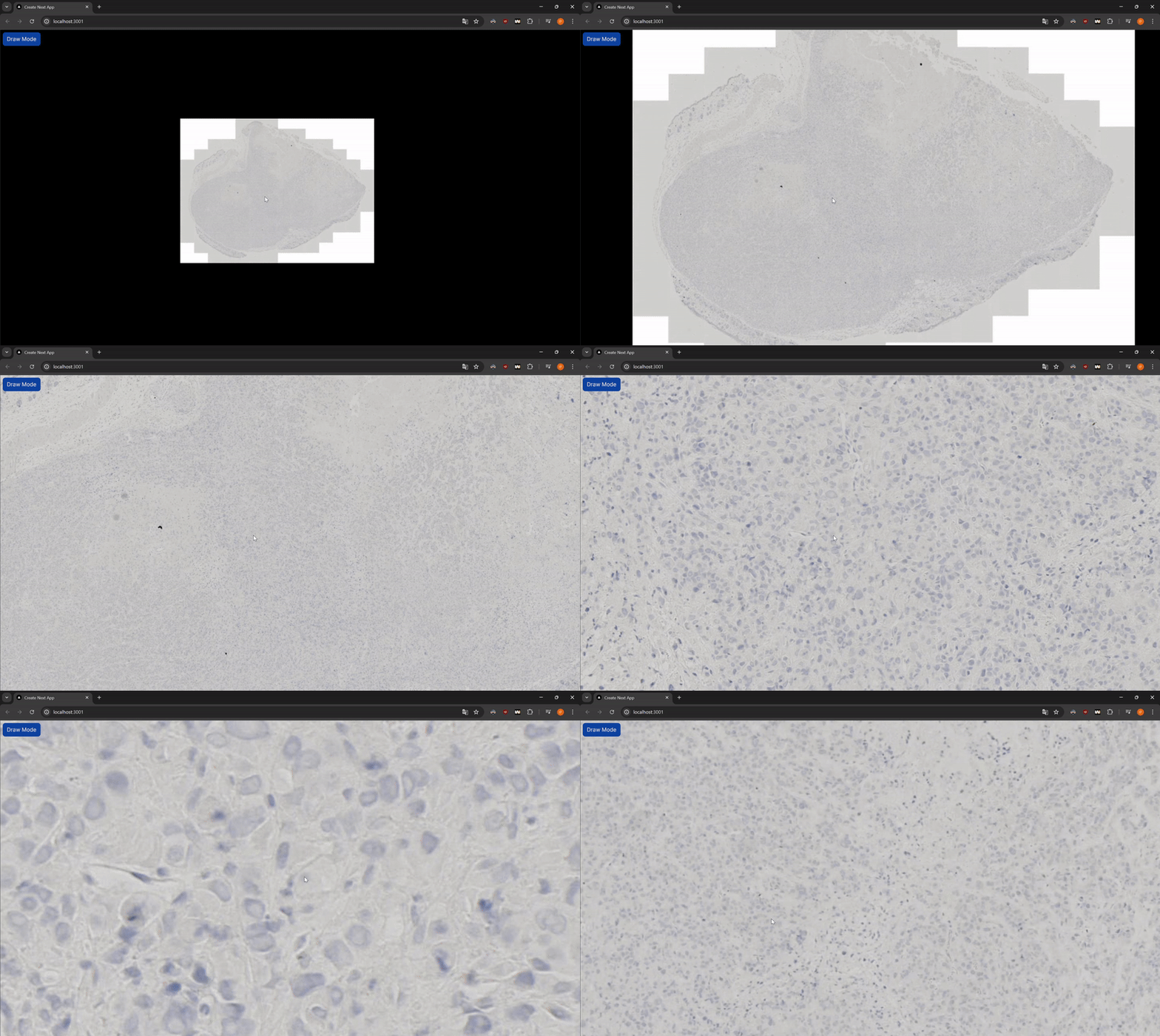
A whole-slide microscopy image can be 100,000 × 100,000 pixels, several gigabytes compressed, far too big to load into a browser. This project is a small web viewer that makes such slides feel like a map: you open them, pan and zoom freely, and draw on them. A second view does the same for CT and MRI volumes, as slices and in 3D.
It has a Python backend (FastAPI) that reads the image formats and serves tiles, and a React frontend that decides which tiles to show and draws them on a canvas.
1. How a slide becomes tiles
Microscopy scanners store slides as image pyramids, for example Zeiss's CZI format. Level 0 is the full resolution, and every level above it halves the width and height until the whole slide fits in one tile. The backend reads them with Bio-Formats and works out the pyramid from the image size and a fixed tile size of 1024 pixels:
TILE = 1024
max_level = int(np.log2(np.ceil(max(width, height) / TILE))) + 1
The frontend asks for one tile at a time, by level and position. The backend reads just that region from the file, encodes it as a JPEG, and caches it on disk, so the second request for the same tile is a file read instead of a decode:
@app.get("/get_single_tile")
async def get_single_tile(level: int, x: int, y: int, width: int, height: int, path: str):
    cache_path = os.path.join("cache", f"img_{level}_{x}_{y}_{width}_{height}.jpg")
    if not os.path.exists(cache_path):
        img = reader.read(series=level, XYWH=(x, y, width, height))
        cv2.imwrite(cache_path, img * 255.0)
    ...
    return Response(content=jpeg_bytes, media_type="image/jpeg")
2. Which tiles to draw
The frontend keeps the view as a 2D canvas transform: a scale and an offset. Everything else follows from it.
- Pick the level. At a scale of 1 the screen shows full-resolution pixels; at 1/8 it shows every eighth pixel, so
level 3 is enough. The level is
ceil(log2(1 / scale)), capped at the top of the pyramid. - Pick the tiles. The visible rectangle of the screen is converted back into image coordinates with the inverse of the transform, scaled down to the chosen level, and only the tiles that overlap it are requested.
- Never show a blank screen. Before the sharp tiles, the viewer also draws the matching tiles of every coarser level, coarsest first. Those are small and usually already loaded, so while you zoom in you see a blurry version immediately, and it sharpens as the detailed tiles arrive.
- Zoom around the cursor. The mouse wheel changes the scale and shifts the offset so the point under the cursor stays where it is, which is what makes zooming feel natural:
const scaleFactor = newScale / oldScale;
transform.e = mouse.x - scaleFactor * (mouse.x - transform.e);
transform.f = mouse.y - scaleFactor * (mouse.y - transform.f);
context.setTransform(newScale, 0, 0, newScale, transform.e, transform.f);
Loaded tiles stay in memory, and tiles that are already being fetched are not requested twice, so panning back and forth costs nothing after the first pass.
3. Drawing on the slide
In draw mode the left mouse button draws and the right button still pans. Every stroke is stored in image coordinates, by running the mouse position through the inverse of the current transform. That way an annotation stays on the same cells whatever the zoom level, and it is redrawn on top of the tiles after every pan or zoom.
4. CT and MRI volumes
The second view handles 3D medical scans:
- NIfTI volumes (.nii, .nii.gz) are read on the backend with nibabel. The frontend asks for a slice along any of the three axes, and the backend rescales its intensities to 0–255 and returns it as a JPEG.
- NRRD volumes are loaded directly in the browser with three.js. The viewer extracts every slice along x, y and z and shows the three directions side by side, each with its own slider, next to a 3D view that places the orthogonal slices through the centre of the volume.
- Meshes (GLTF and OBJ), for example a segmented organ, can be loaded into the same 3D scene, centred and rotated with orbit controls.
5. Looking back
This was a prototype rather than a product: one backend file, paths set in code, and only CZI and NIfTI routed to the readers, even though Bio-Formats could read many more formats. Starting a Java VM inside the Python server for Bio-Formats also made startup slow. The part that worked well, and that I would keep, is the frontend: computing everything from one canvas transform, and drawing coarser levels underneath, kept it smooth on slides far larger than the browser could ever hold.